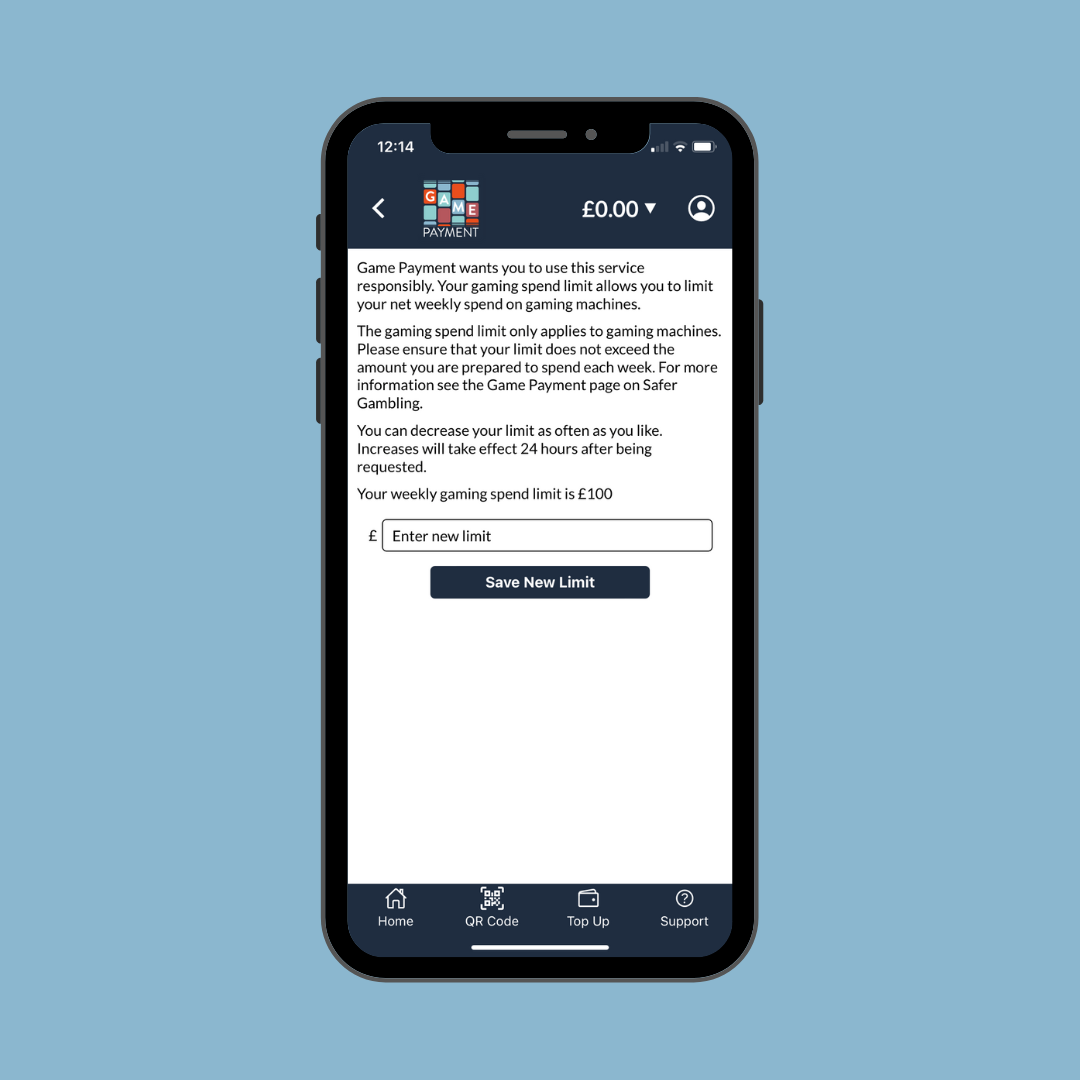
Game Payment supports safer gambling by enabling you to set a weekly net spending limit.
- Please click on the 'Safer Gambling' button on the app home screen.
- Select 'Gaming Spend Limit'.
- The default weekly safe bet limit is set to £100.
- To change the amount, enter a new amount where it says 'Enter new limit' and press 'Save New Limit'.
- You will see a message saying "Safe bet limit has successfully changed".
Was this article helpful?
That’s Great!
Thank you for your feedback
Sorry! We couldn't be helpful
Thank you for your feedback
Feedback sent
We appreciate your effort and will try to fix the article