If your account balance isn't what you expected, then you can review your transaction history:
- Please click on the 'Safer Gambling' button on the app home screen.
- Select 'Transaction History'.
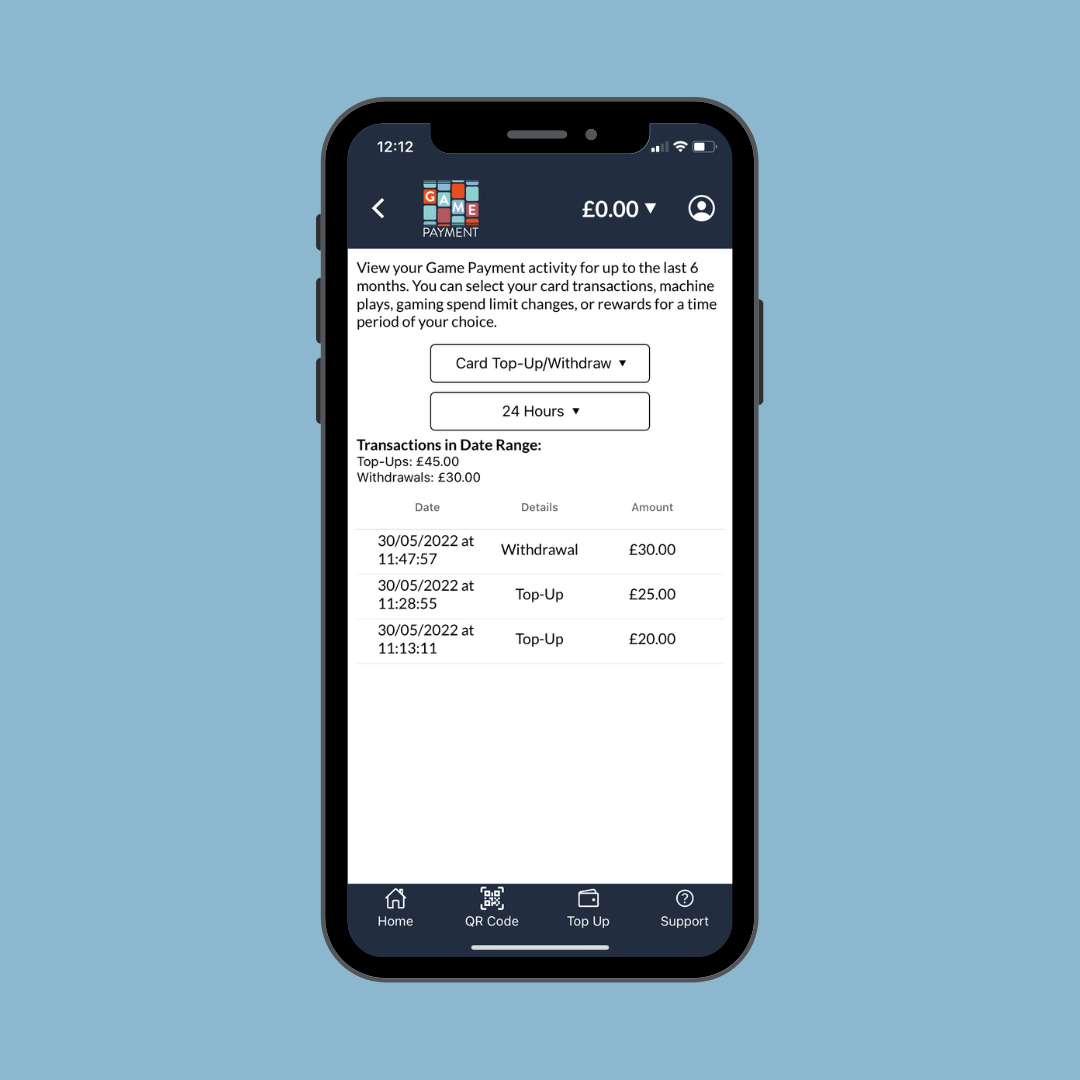
- Depending on what information you want to see, please adjust the filters accordingly.
- You will see two filters. Below them, your transactions will be listed.
- You can filter by card (your deposits), or gaming machine (any funds transferred from or to a machine).
- You can also choose to see transactions in the last day, week or month; or within a date range that you specify.
Was this article helpful?
That’s Great!
Thank you for your feedback
Sorry! We couldn't be helpful
Thank you for your feedback
Feedback sent
We appreciate your effort and will try to fix the article